 PassCollect
For iPhone, iPhone Duo & Apple Watch
Store All Your Cards
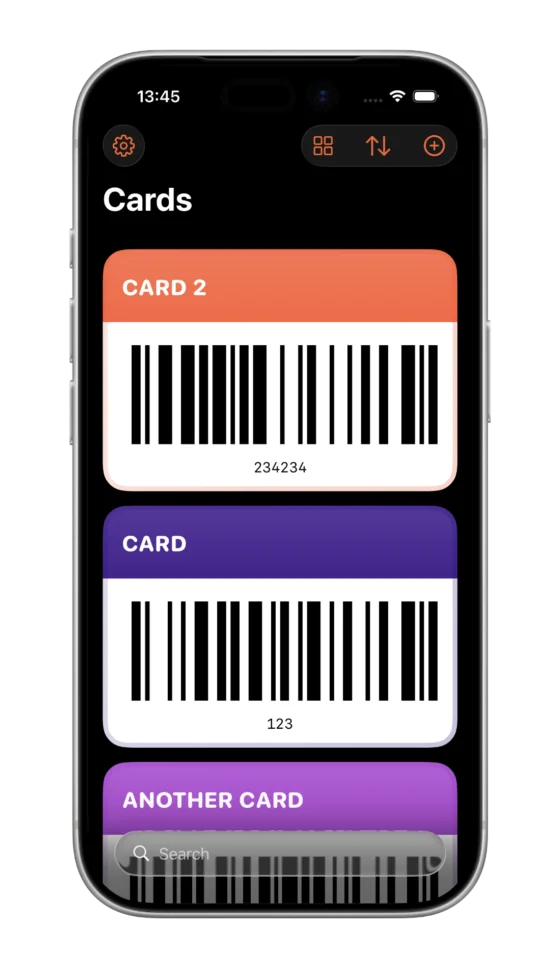
PassCollect helps you organize and access all your loyalty cards, passes, and memberships in one place—no login required.
 Free · No account needed
Features
Why You'll Love PassCollect
A beautifully simple solution for storing and accessing your passes
-
01
Easy Organization
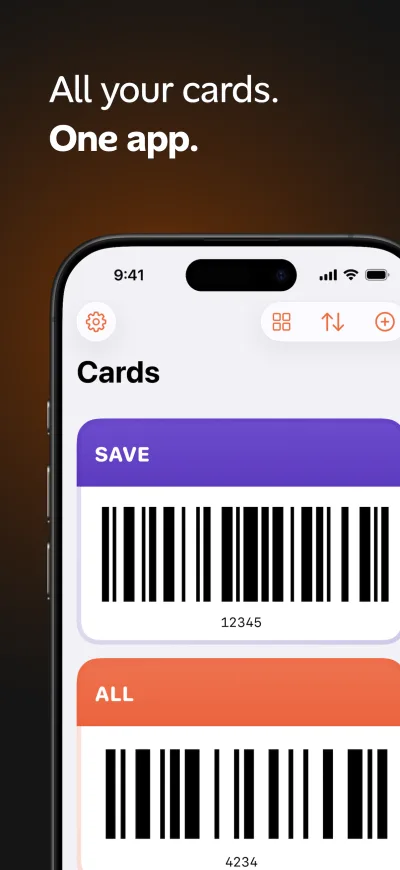
Store all your cards and passes in one place with intuitive organization and quick access.
-
02
Scan Barcodes
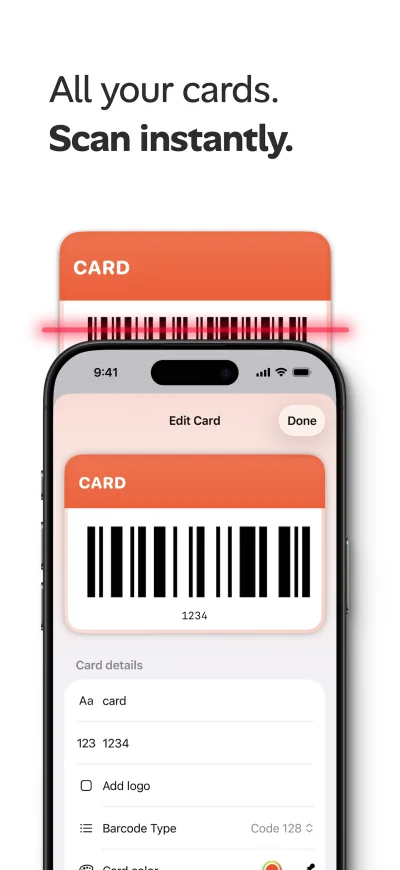
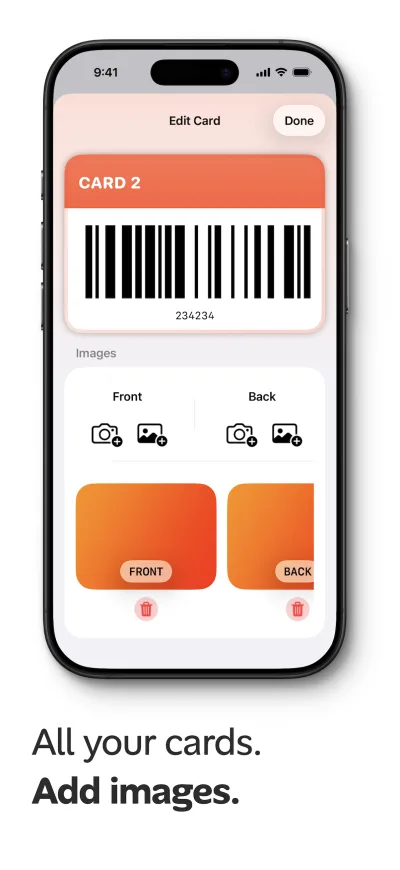
Quickly add cards by scanning barcodes with your camera for instant digital access.
-
03
Apple Watch
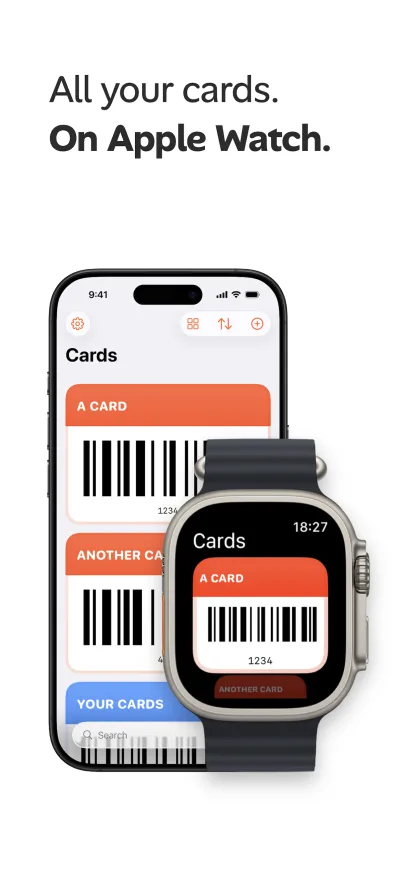
Access your most important cards directly from your wrist with seamless Apple Watch integration.
-
04
Privacy First
No login required. Your data is backed up through iCloud and stays completely private. We never store your card information on our servers.
-
05
Quick Access
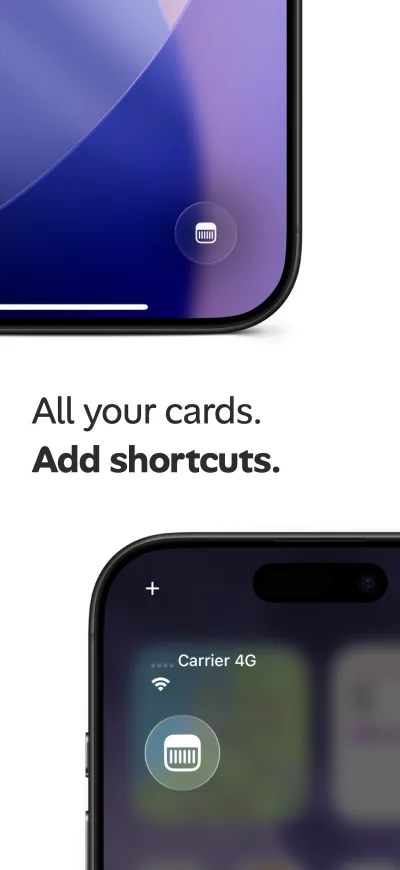
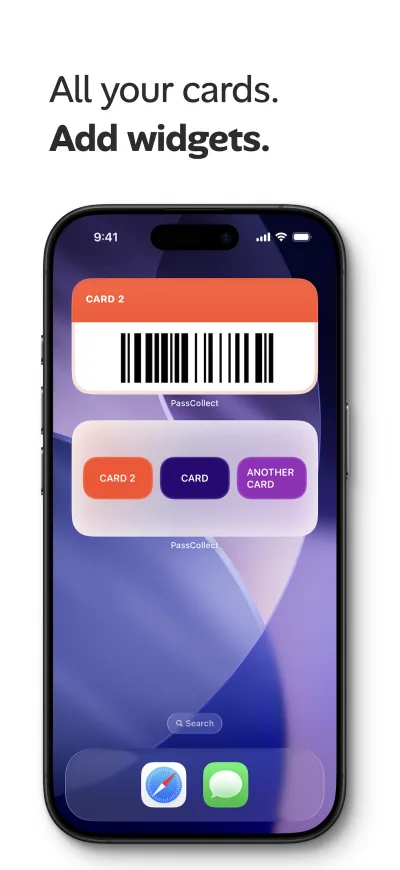
Lock screen shortcuts and home screen widgets for instant access to your most used cards. Get to what you need with a single tap.
-
06
iPhone Duo
A layout that adapts when you fold or unfold your iPhone Duo, so your cards always fit the screen.
iPhone Duo
Made for iPhone Duo
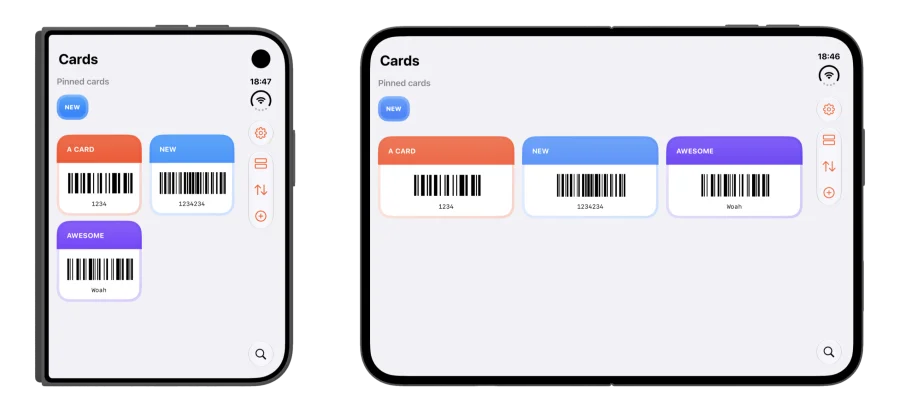
PassCollect adapts to iPhone Duo. Folded or unfolded, your cards rearrange to fit the screen, with your pinned cards and toolbar always in reach.
-
Folded
Cards sit in a compact two-column grid.
-
Unfolded
Cards spread across the full width of the display.
-
Pinned cards first
Your pinned cards stay at the top in both layouts.
Screenshots
See PassCollect in Action
Swipe through to explore the app's features
Guides
Get more out of PassCollect
Step-by-step guides to scanning cards, Apple Watch, widgets, iPhone Duo and privacy.
-
Using PassCollect on iPhone Duo — folded and unfolded layouts
PassCollect adapts its card layout to iPhone Duo, showing a compact two-column grid when folded and a wide three-column view when unfolded.
-
How to open a loyalty card with one tap from your Lock Screen or Home Screen
Set up PassCollect Lock Screen shortcuts and Home Screen widgets to open your most-used loyalty cards with a single tap on iPhone.
-
How to show your loyalty cards on Apple Watch with PassCollect
PassCollect includes Apple Watch support, so you can open a loyalty card's barcode from your wrist at checkout without taking out your iPhone.
-
How to add a loyalty card to PassCollect by scanning its barcode
Step-by-step guide to adding a loyalty card in PassCollect by scanning the barcode or uploading a photo, then setting its name, logo, barcode type, color and images.
-
How do you store loyalty cards on iPhone without creating an account?
Use PassCollect to keep loyalty cards, passes and memberships on your iPhone with no sign-up or login. Your cards stay on your device and in your own iCloud.
-
Where is my card data stored? PassCollect's privacy model explained
PassCollect doesn't collect, store or share your data. Cards live on your iPhone and are backed up through your own iCloud account, with no servers, analytics or third parties involved.
FAQ
Frequently Asked Questions
Everything you need to know about PassCollect
Do I need to create an account to use PassCollect?
No account or login is required. All your cards and passes are stored securely on your device and synced privately through your own iCloud account.
How do I add a card to PassCollect?
Scan a barcode with your camera or upload a photo of your card, and PassCollect instantly saves a digital copy you can access anytime.
Does PassCollect work with Apple Watch?
Yes. PassCollect includes full Apple Watch support, so you can access your cards directly from your wrist.
Does PassCollect support iPhone Duo?
Yes. PassCollect's layout adapts to iPhone Duo, so your cards fit the screen whether the phone is folded or unfolded.
Is my card data private and secure?
Yes. PassCollect never uploads your data to our servers. Everything is backed up privately through iCloud, and only you have access to it.
Can I access my cards from the Lock Screen or Home Screen?
Yes. PassCollect offers Lock Screen shortcuts and Home Screen widgets so you can get to your most-used cards with a single tap.